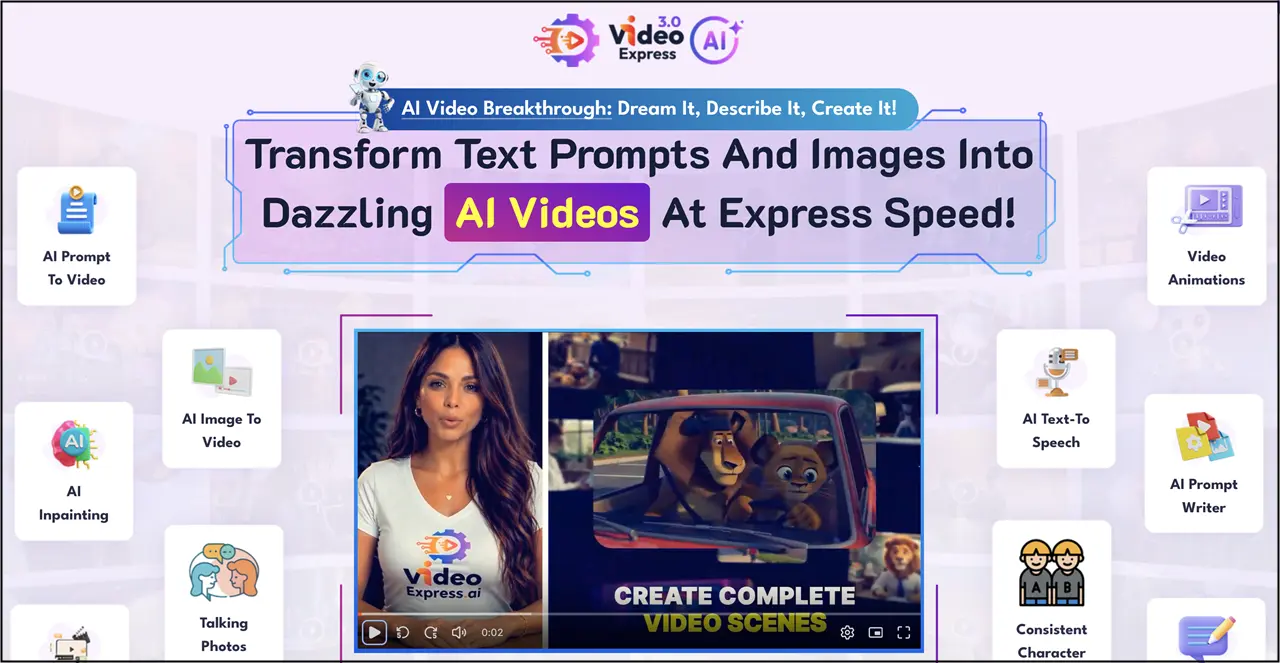
This VideoExpress AI Review covers this all-in-one video creation platform that combines AI video generation, image animation, character tools, audio features and a full timeline editor. Its biggest selling point is the pricing model: the current plans are offered as one-time purchases rather than conventional monthly subscriptions.
But the real question is whether VideoExpress is actually a good AI video tool — and whether the one-time price makes sense compared with the growing number of specialist AI video platforms.
In this review, we look at the current VideoExpress feature set, the individual AI tools, pricing, usage limits, customer feedback and the type of creator the software is best suited to.
VideoExpress AI: Quick Summary
VideoExpress AI is an AI video production suite rather than simply another text-to-video generator. Its combination of AI creation tools, character workflows, audio features and editing makes it a compelling option for creators who want to produce content at scale, without adding another monthly subscription.
Overall Rating: ★★★★⯪ 4.5/5
Key Takeaways
- One-time payment options instead of a recurring subscription
- AI text-to-video and image-to-video
- Character consistency and lip-sync tools
- AI inpainting, motion and object-removal tools
- AI voices, narration and sound effects
- Built-in timeline editor
- No watermarks on the advertised plans
- Commercial-use option
What Is VideoExpress AI?
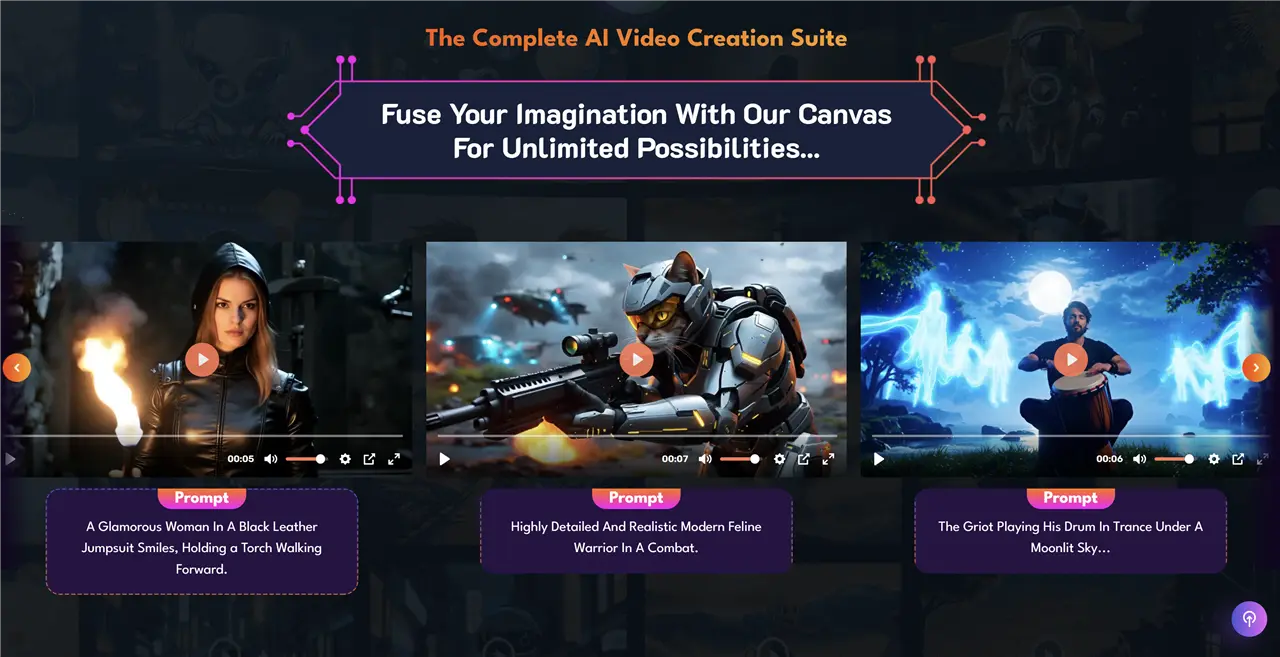
VideoExpress AI is designed to bring multiple stages of AI-assisted video production into one application. The current V3.0 material covers prompt-to-video, text-to-video, image-to-video, lip-sync, character stylization, first-frame/last-frame workflows, Smart Edit and other editing functions.
That makes VideoExpress different from a single-purpose AI video generator. The goal is to move from idea to generated scenes to edited video without constantly switching between different applications.
Who Is VideoExpress Designed For?
- YouTube creators
- Faceless-channel creators
- Children’s and animated-content creators
- Authors and storytellers
- Educators
- Digital marketers
- Freelancers and agencies
- Social-media creators
VideoExpress AI Tools Explained
This is the most important part of the review because VideoExpress is really a collection of AI video tools rather than one single feature.
AI Prompt-to-Video
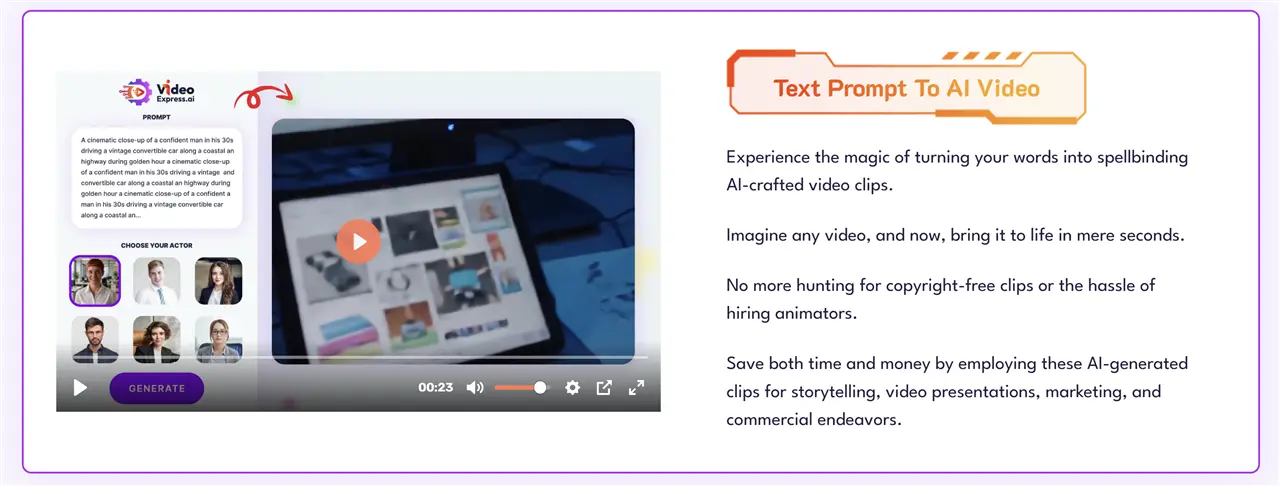
Prompt-to-video is the core text-driven workflow. You describe the scene you want, and VideoExpress generates the video from the prompt.
The current V3.0 tutorial library specifically includes a ‘Create Video from Prompt’ workflow, showing that prompt-driven generation remains a central part of the updated platform.
Who Is It Best For?
Prompt-to-video is useful when you are starting with an idea rather than an existing image. It is particularly suitable for concept scenes, B-roll, short social clips and storyboarding.
AI Text-to-Video
Text-to-video is similar to prompt-to-video but is presented as a dedicated generation workflow within the platform. The current All-Access offer advertises longer AI clips and longer text-to-video clips than the Basic plan.
Why It Matters
The ability to generate short scenes and then combine them in the editor is more useful for real production than treating every AI generation as a finished video.
AI Image-to-Video
Image-to-video turns a still image into an animated clip. This is especially interesting for creators who already generate artwork elsewhere.
For example, an illustrator could create a character image, import it into VideoExpress and use image-to-video to introduce movement rather than generating an entirely new scene.
Good Use Cases
- Children’s illustrations
- AI characters
- Product images
- Storyboards
- Social-media graphics
- Existing photographs
AI Talking Photos
Talking Photos brings static images to life with speech and facial animation. The current VideoExpress ecosystem also has a dedicated TalkingPhotos product for talking, singing and dancing images.
Why Creators May Want It
This is useful for presenter-style content, character videos, educational material and social clips where a static character needs to speak or perform.
AI Character Consistency
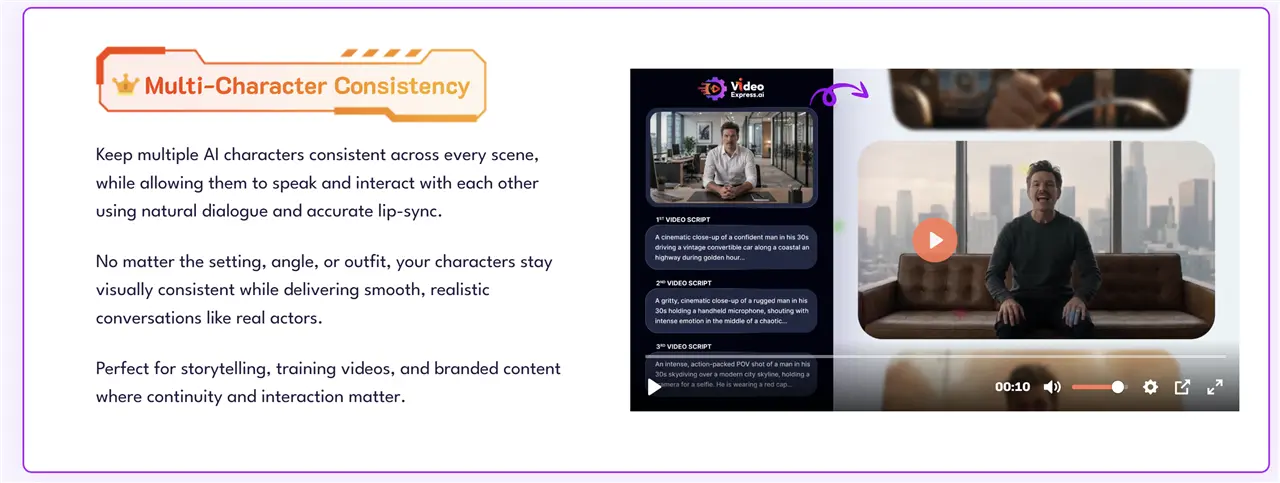
Character consistency is one of the more important features for anyone creating stories. One of the biggest weaknesses of generative video is that the same character can look different from one scene to the next.
VideoExpress provides workflows specifically for creating consistent characters, and its current training library includes a V3.0 ‘Stylize Character’ tutorial as well as earlier training on consistent characters.
Best For Storytelling
If you want to create a recurring character across several scenes, this feature is potentially much more valuable than simply generating isolated AI clips.
Character Lip-Sync & AI Narration
VideoExpress includes character lip-sync and narration features in its premium feature set. The platform’s current training library includes a dedicated V3.0 lip-sync tutorial.
What You Can Use It For
- Animated characters
- Talking presenters
- Educational videos
- Story narration
- Social-media clips
- Short-form entertainment
AI Inpainting
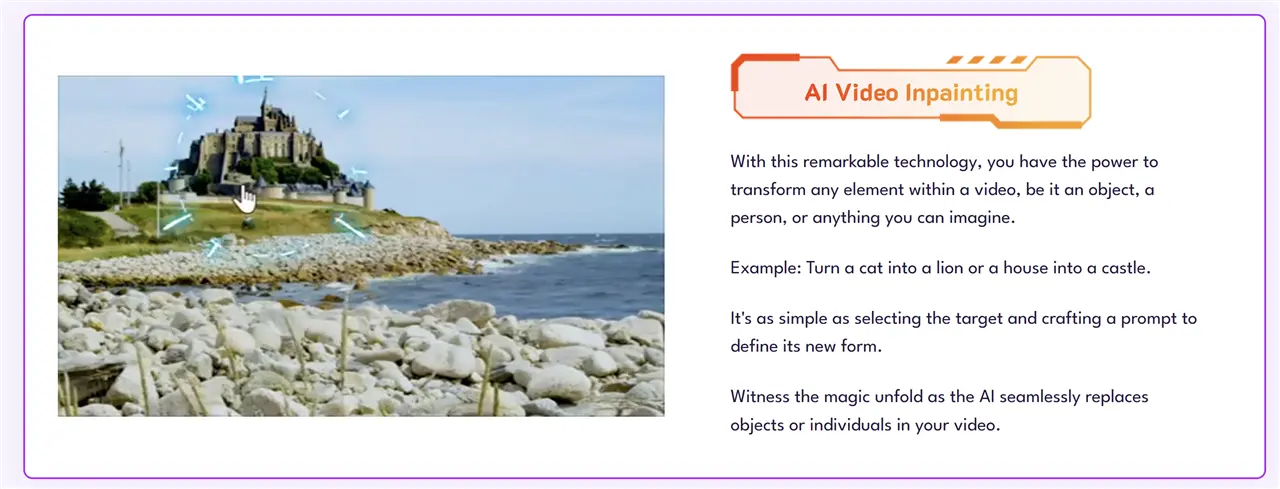
AI inpainting lets you modify elements within an existing video using AI. Instead of regenerating the entire scene, the goal is to alter a selected element.
Why It Is Useful
This can save time when a video is almost right but contains one object, character detail or visual element you want to change.
AI Motion Brush
Motion Brush is designed to let creators specify areas of an image or video that should move. VideoExpress lists AI Motion Brush among its AI video technologies.
Best Use
It is particularly useful when you want controlled movement rather than leaving the entire animation to a generic image-to-video prompt.
AI Video Object Removal
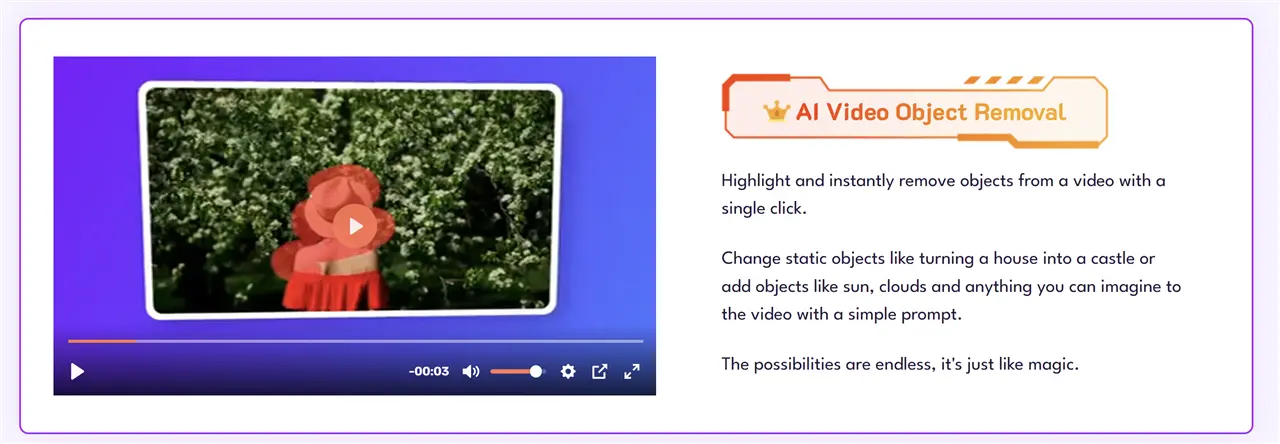
Object removal is designed to remove unwanted elements from video. This can be useful for cleaning up footage or eliminating distractions without recreating an entire scene.
AI Video Length Increaser
AI-generated clips are often short. VideoExpress includes a length-increase workflow designed to extend generated footage.
A Practical Advantage
For creators building longer videos from multiple AI scenes, extending a useful clip can reduce the number of separate generations required.
First Frame & Last Frame
The first-frame/last-frame workflow gives you a starting image and an ending image and asks the AI to generate the transition between them.
Why This Is Interesting
This provides more control over the beginning and end of a scene than simply generating a clip from a single prompt.
AI Background Removal & Editing
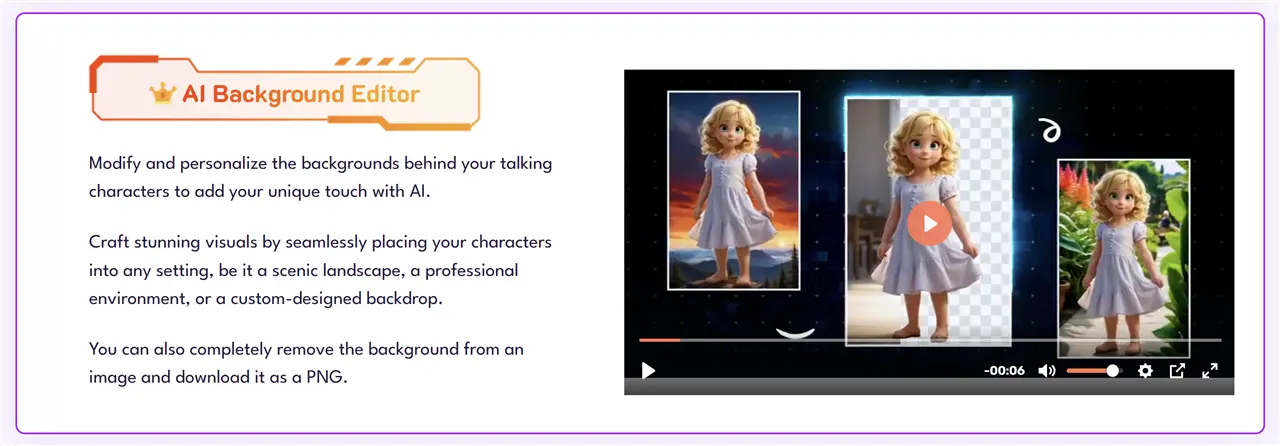
VideoExpress also includes background-related editing tools. These can be useful for separating subjects, changing environments or preparing content for a different visual style.
AI Sound Effects
AI sound generation is another useful part of the platform. Instead of searching a stock library for a particular sound, the creator can describe the effect they want.
Useful for Animation
For animated stories, children’s videos and short films, sound effects can add a lot of production value. Having the sound workflow inside the same ecosystem can also reduce the need for another subscription.
AI Text-to-Speech & Voice Tools
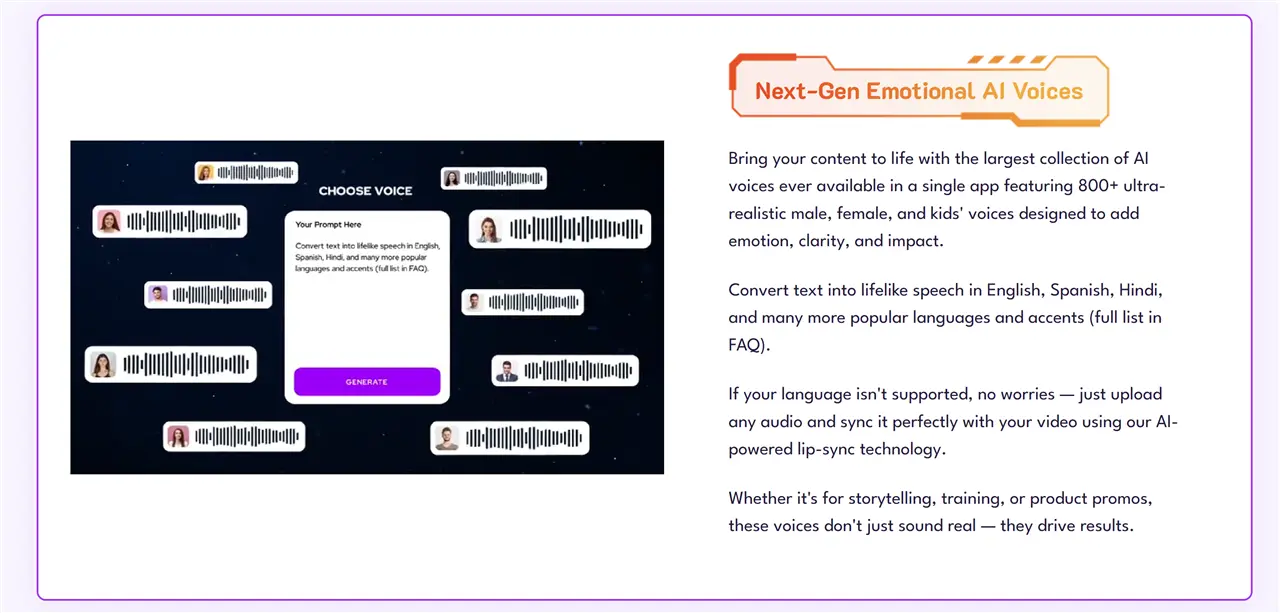
VideoExpress includes AI text-to-speech and voice-related tools, allowing creators to add narration without recording every line themselves.
Good For Faceless Videos
This is particularly useful for faceless YouTube videos, explainers, educational content and narrated stories.
VideoExpress V3.0
The current tutorial library is specifically branded around VideoExpress V3.0. The update includes tutorials covering separated audio and video, subtitle fixes, voice changing, video fixes, prompt-to-video, lip-sync, character stylization, text-to-video, first-frame/last-frame, Smart Edit and media-gallery management.
What V3.0 Adds to the Workflow
The important point is not simply the number of individual features. V3.0 is moving VideoExpress toward a more complete production workflow: generate the assets, manipulate them, add audio and assemble the final video in one place.
VideoExpress AI Video Editor
The built-in timeline editor is one of the strongest reasons to consider VideoExpress.
Instead of generating an AI clip and then moving into another editing application, you can combine AI-generated scenes, add audio, apply effects, add text and build a longer project inside VideoExpress.
Why the Editor Matters
For creators producing frequent content, reducing the number of applications in the workflow can be more valuable than having another isolated AI generation feature.
VideoExpress AI Pricing
Basic: $49 One-Time Payment
- AI Text To Video
- AI Image To Video
- AI Inpainting
- Essential video creation and editing tools
- No monthly fees
- No watermarks
- 30-day money-back guarantee
All-Access: $179 One-Time Payment
- Premium AI video features
- Longer AI video clips
- Text-to-video clips
- Character lip-sync and narration
- Premium character workflows
- Additional AI tools
- Longer video projects according to the current offer
VideoExpress currently advertises the $49 Basic offer and $179 All-Access offer as one-time payments. Pricing and promotional offers can change, so the current official page should be checked before publishing or purchasing.
Is VideoExpress Really Unlimited?
This is an important distinction.
VideoExpress markets the product as unlimited video creation without monthly fees, but its FAQ explains that AI-generated video clips are subject to a fair-use limit.
Current Fair-Use Limits
- Basic: up to 3,000 AI-generated video clips per month
- All-Access: up to 6,000 AI-generated video clips per month
The company says previews do not count and that generated clips can be combined into longer videos in the timeline editor.
Our Take
For most individual creators, these limits are unlikely to be reached. Nevertheless, ‘no monthly fees’ is more precise than simply saying ‘unlimited AI generation.’
VideoExpress AI Pros and Cons
Pros
- One-time pricing
- Wide range of AI video tools
- Built-in timeline editor
- Image-to-video
- Character consistency
- Lip-sync and narration
- AI sound effects
- Commercial-use option
- No-watermark positioning
Cons
- Premium tools require All-Access
- Monthly fair-use limits apply to rendered AI clips
- The platform can feel feature-heavy for beginners
VideoExpress AI vs Specialist AI Video Tools
VideoExpress is easiest to understand when viewed as a production suite rather than a single AI model.
A typical creator may otherwise need separate tools for image generation, video generation, voice generation, sound effects, editing and subtitles. VideoExpress attempts to put many of these stages under one roof.
Where VideoExpress Has an Advantage
The strongest advantage is workflow. If you value having multiple tools in one application and dislike paying several monthly subscriptions, VideoExpress is compelling.
Where a Specialist Tool May Win
If your only objective is the highest possible output from a particular AI video model, a specialist platform may be a better fit. VideoExpress’s advantage is breadth rather than necessarily winning every individual generation-quality comparison.
Who Should Buy VideoExpress AI?
YouTube Creators
The combination of short AI clips, narration, editing, captions and multiple visual workflows makes VideoExpress suitable for YouTube production.
Children’s Content Creators
Character consistency, image-to-video, narration and animation are particularly relevant to children’s stories and animated content.
Authors & Storytellers
Writers who already have characters or illustrations can use image-to-video and character workflows to turn static assets into animated scenes.
Digital Marketers
Product videos, advertisements, demonstrations and social-media content are obvious applications.
Freelancers
Commercial-use capabilities can make the platform useful for client work, subject to the applicable terms and rights requirements.
VideoExpress AI Review: Final Verdict
VideoExpress is more interesting than a typical AI video generator because it is trying to solve a broader problem: the entire video-production workflow.
You can generate footage, animate images, work with characters, create dialogue and narration, generate sound effects, edit scenes and assemble the final video in one ecosystem. It’s a compelling option for creators who want to produce content at scale.
The one-time pricing is the other major attraction. For creators who are tired of adding another monthly AI subscription to their expenses, that is a meaningful difference.
Overall, VideoExpress is a strong option for creators who value breadth, workflow and one-time pricing.
| Category | Rating |
| 🎬 AI Video Features | ★★★★★ |
| 🛠️ Editing Tools | ★★★★☆ |
| 🎨 Creative Tools | ★★★★★ |
| 👤 Ease of Use | ★★★★☆ |
| 💰 Value for Money | ★★★★★ |
| ⭐ Overall Rating | ★★★★⯪ 4.5/5 |
Prices can change, so please check the latest prices with the link below.
Frequently Asked Questions
Is VideoExpress AI free?
No. The current website lists VideoExpress from $49 as a one-time payment, with an All-Access plan currently listed at $179.
Does VideoExpress AI have a monthly subscription?
The current plans are advertised as one-time purchases rather than recurring subscriptions.
Does VideoExpress AI have a watermark?
The current plans advertise no watermarks.
Can I use VideoExpress videos commercially?
The company advertises commercial rights, but creators remain responsible for ensuring that their content complies with copyright and other applicable rights.
Does VideoExpress have AI voices?
Yes. The platform includes AI text-to-speech, narration and character dialogue tools.
Is VideoExpress AI worth it?
For creators who want a broad all-in-one AI video workflow and dislike recurring subscriptions, it is worth considering. If your only priority is specialist cinematic generation quality, compare it with specialist platforms first.
You May Also Like: Best AI Video Generators
Disclosure: We are reader-supported, and this article may contain affiliate links.